Learn
How to Turn a Markdown Resume into PDF
Use markdown to maintain your resume and export a one-page PDF that is ready to send.
8 min readUpdated April 20, 2026
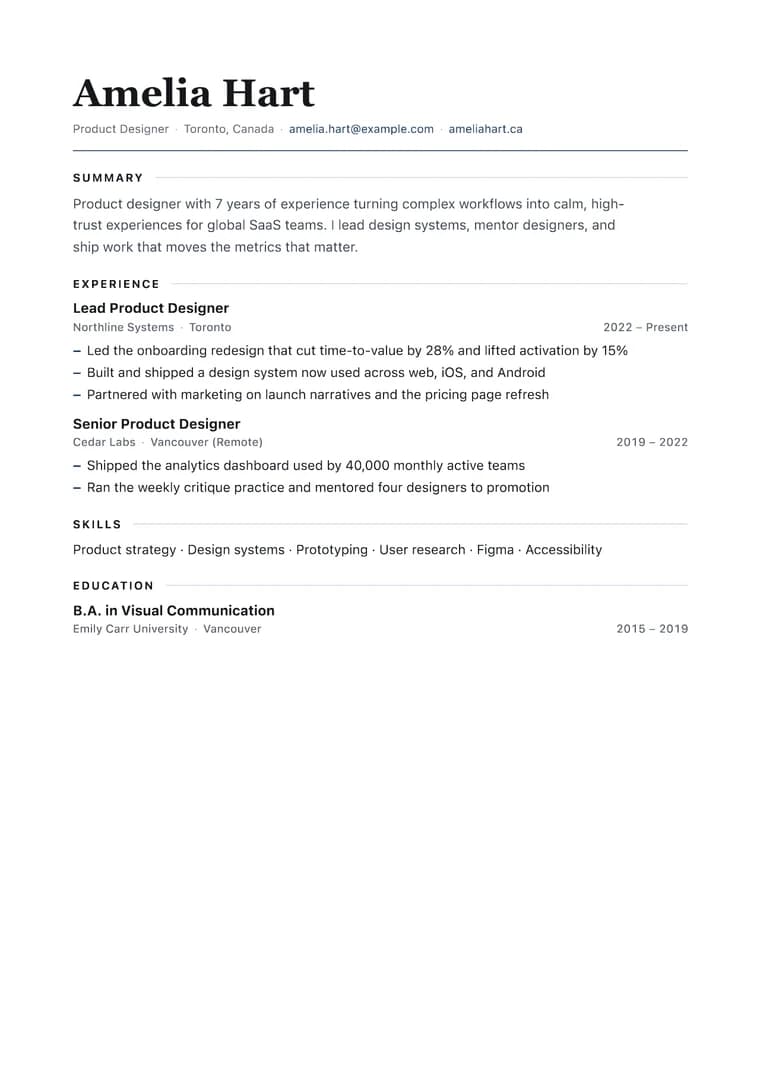
What you will produce
Try the related templateOn this page
Markdown is a useful source format for resumes because it is fast to edit, version control friendly, and easy to reuse for different job applications. The main challenge is turning that markdown into a PDF that still looks intentional.
Start with a short contact block, one strong summary, and compact bullet points under each role. Avoid oversized paragraphs. Resume PDFs work best when each section earns its space and the hierarchy is obvious at a glance.
Before you export
- Keep role titles and company names short.
- Use bullet points for outcomes, not duties.
- Limit the resume to one page when possible.
- Remove raw URLs that make lines wrap awkwardly.
Best template choice
The Resume template is the best starting point because it compresses the layout while keeping headings and metadata readable. If you want a more neutral look, try Clean next.